Since we send your welcome email with a password, we highly recommend you change it as soon as you get the email.
To change your password, you will need to login to My NodeSpace: https://my.nodespace.com. Click on the product or service you wish to manage. Click on the change password link on the left and then enter a new password. Click on Save Changes.
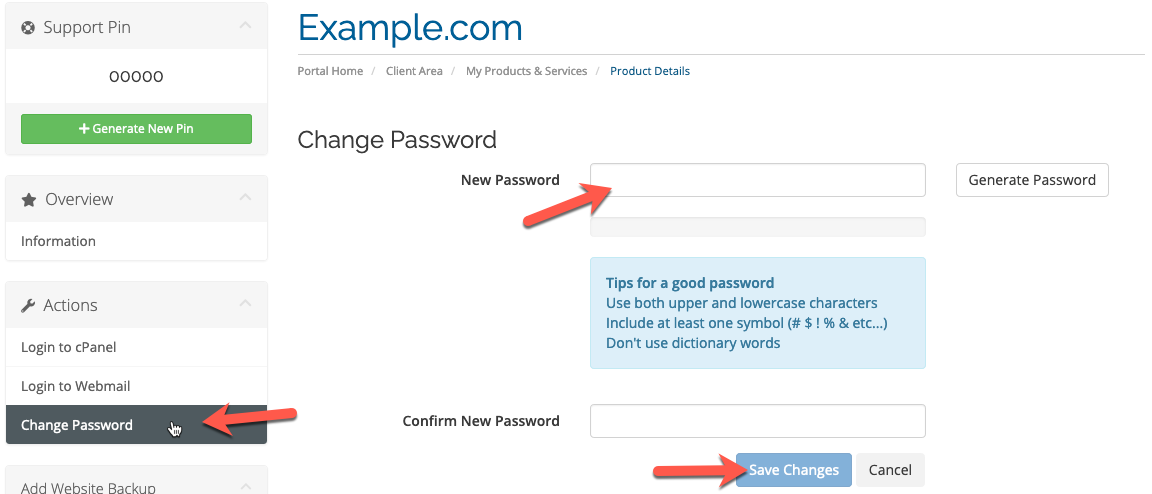
Now your cPanel password is successfully changed!
This password will update your FTP account as well.